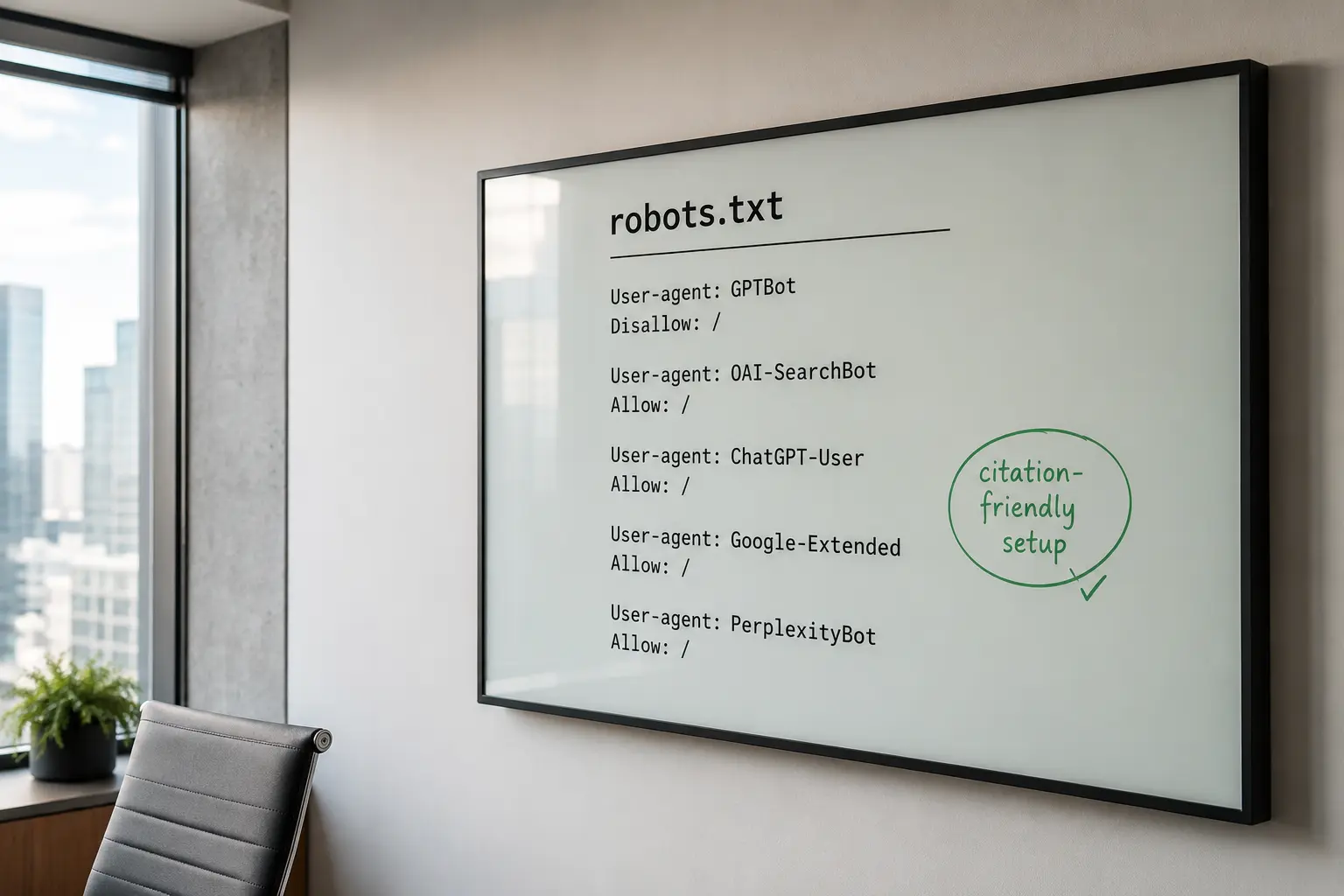
Are you accidentally blocking AI crawlers?
Probably more than you think, and almost certainly not where you would look first. Most owners check their robots.txt, see nothing alarming, and conclude they are fine. The blocks that actually cost citations tend to live further down the stack, in layers that never show up in a normal SEO audit.
The reason this matters so much is brutally simple: crawl access and citation presence are the same thing. If an AI search crawler cannot fetch your page, it cannot cite you, no matter how good the page is.
Understanding how ChatGPT selects and cites its sources makes the stakes clear, because every one of those sources had to be reachable first.
So the honest question is not whether your robots.txt allows AI bots. It is whether anything at all, anywhere in your setup, is quietly returning an error to the crawlers that would otherwise recommend you. That is a different and much larger question, and answering it is what separates the visible from the invisible.
It also reframes where AI visibility work should start. Before you invest another hour in content or in generative engine optimisation, it is worth confirming that the crawlers can actually reach the pages you already have, because optimisation the bots never see is effort spent on an empty room.
Access comes first, and everything else you do compounds on top of it.
Why robots.txt is only the first place to look
Because a crawler passes through several gates before it ever reads your content, and robots.txt is just the first one. After it come your CDN, your web application firewall, your bot management rules, your hosting platform's own protections, and finally your server and its rendering. A block at any of those layers stops the crawler just as dead as a disallow line.
This is the gap most guides miss. They treat AI crawler access as a robots.txt question, when robots.txt is the one layer you can actually see and edit easily.
Getting that file perfect while a firewall blocks the same bots is like unlocking the front door while the security gate stays shut, which is why a full AI visibility audit checks every layer rather than stopping at the file you can see.
The layers below are harder to inspect precisely because they are designed to be invisible and automatic. They exist to stop bad bots, and in doing so they often catch the good ones too, because to a security system an AI crawler and a scraper can look very similar. That is where accidental blocking really happens.
Is your hosting or WAF quietly blocking AI bots?
Yes, this is the single most common hidden culprit, and it is genuinely invisible from the outside. Managed hosting platforms and web application firewalls routinely rate-limit or block automated traffic to protect performance, and AI crawlers get caught in the net without anyone deciding they should be.
A striking example was documented by Search Engine Land, whose investigation into managed WordPress hosting silently blocking AI bots found a site earning zero citations in Claude and Meta AI despite appearing in Google's AI Mode.
The host was returning HTTP 429 rate-limit responses to AI bot user-agents at the platform level, below any plugin or customer setting, with no way to switch it off per bot. The site owner had no visibility into it at all.
A web application firewall works the same way by design, filtering and blocking HTTP traffic it judges suspicious, which can easily include an AI crawler it does not recognise.
The trouble is that a 429 or a 403 to a crawler looks like routine security to you and like a locked door to the bot. Auditing your generative AI search visibility end to end is how you catch a block your dashboard will never show you.
The insidious part is the mismatch between what you see and what the bot sees. You load your homepage, it works perfectly, and you conclude everything is fine, while the AI crawler hitting the same URL from a data-centre IP with a bot user-agent gets challenged, rate-limited or refused. Two visitors, two completely different experiences, and only one of them decides whether you get cited.
Are noindex and X-Robots-Tag hiding you?
They can, and this one is a self-inflicted classic. A noindex directive tells engines not to index a page, and while it targets search indexing, a page you have told the world not to index is a weak candidate to be surfaced or cited anywhere.
Google's guidance on blocking indexing with noindex explains that you can apply it through a meta robots tag or an X-Robots-Tag HTTP header, and the header version is the sneaky one. It is set at the server level, so it can blanket entire sections of a site without appearing anywhere in the page's visible code, which is exactly how a staging rule or a migration setting ends up quietly suppressing pages you want seen.
Whole sections can vanish this way. Because an X-Robots-Tag rule is applied server-side, a single misconfigured directive can noindex an entire directory of blog posts or product pages at once, and nothing in the pages themselves reveals it. That is why the header deserves a specific check, separate from scanning the visible page code, whenever citations quietly disappear from part of your site.
The classic accident is a noindex left over from development that never got removed when the site went live. Check your important pages for both the meta tag and the header, because a page carrying noindex is telling every engine, including the AI ones, not to bother with it. Content built to be cited, the discipline behind structured data for answer engine optimisation, is wasted on a page flagged noindex.
Is your JavaScript hiding your content from AI?
Often, yes, especially on modern JavaScript-heavy sites. If your main content only appears after scripts run, a crawler that does not fully render the page sees an empty shell, and an empty shell gives it nothing to cite.
Google's documentation on fixing search-related JavaScript problems spells out the traps: content that depends on user interaction, state that does not persist across loads, and resources a crawler skips as non-essential. What renders perfectly in a browser can arrive as a blank page to a bot that does not execute the JavaScript the way your visitors' browsers do.
There is a simple test for this. View the raw HTML source of a key page, the version before any scripts run, and search it for a sentence you would want an AI to quote. If the sentence is there, a crawler can find it. If it only appears once the page has loaded and rendered in a browser, you are betting your visibility on how much JavaScript each crawler chooses to run, which is a bet you do not need to make.
AI crawlers vary in how much JavaScript they run, and many do far less than a full browser, so relying on client-side rendering for your core content is a real risk. The safe path is to make sure your important text is present in the initial HTML rather than assembled entirely on the fly, which also happens to serve the goals of optimising content for generative AI search. If the words are not in the response the crawler receives, they cannot be quoted.
Are your security rules blocking bots that cannot prove themselves?
Frequently, and this is where good intentions do the most damage. Aggressive bot protection, rate limits, CAPTCHA challenges, geo-blocks and IP filtering are all built to stop abuse, and all of them can catch a legitimate AI crawler that does not fit the expected pattern of a human visitor.
The wiser approach is to decide deliberately rather than block by default. Search Engine Journal's guidance on whether to block AI crawlers or measure their value first makes the point that the real risk of blanket blocking is finding your site no longer cited in AI answers, and it notes that some bots ignore robots.txt entirely, so any blocking happens at the firewall regardless. That cuts both ways: your firewall is where accidental blocks live too.
Tooling helps you see and control this properly. Cloudflare's AI Crawl Control, for instance, lets you monitor which AI crawlers are hitting your site and set allow or block rules per crawler rather than catching them all in a blanket security net.
The goal is intent: block what you mean to block, and make sure the crawlers that could recommend you are waved through. Your presence in ChatGPT and Perplexity depends on it.
How do you find and fix accidental blocks?
Test what the bot actually receives, not what your browser shows you, because the two can be completely different. Start with your server logs and look for AI crawler user-agents receiving 403, 429 or other error responses, since those are the fingerprints of a silent block. If the bots are being turned away, the logs will show it plainly.
The user-agent list is worth knowing so you recognise the bots in your logs. GPTBot and OAI-SearchBot for OpenAI, PerplexityBot for Perplexity, ClaudeBot and its search counterpart for Anthropic, and Google's crawlers all identify themselves, and a legitimate one can be verified against the provider's published IP ranges.
Anything claiming to be an AI bot from an unverified address is a different matter, but a real crawler getting a 403 is the one costing you citations.
Then work down the layers deliberately. Check robots.txt first, then your CDN and WAF rules, then your hosting platform's protections, then your rendering, fetching your key pages as an AI crawler would and confirming they return real content with a 200 status. Being visible to Claude and every other assistant means clearing every one of these gates, not just the easy one.
Make it a habit rather than a one-off, because hosts and security vendors change their defaults, and a setup that was open last quarter can quietly close. If a hidden block has already cost you ground, the recovery path is the one we map in winning back visibility lost to AI search, and our case study on rebuilding AI visibility shows how often the fix was unblocking a crawler nobody knew was blocked.
Common accidental-blocking mistakes
The biggest mistake is checking only robots.txt and declaring victory, when the real block sits three layers deeper. The second is blanket bot protection that treats every non-human visitor as a threat, catching the AI crawlers you want alongside the scrapers you do not.
The third is a leftover noindex from staging that never got cleared at launch. The fourth is trusting client-side JavaScript to deliver content a crawler never renders. And the fifth is never reading your server logs, so a silent 429 goes unnoticed for months.
The framing we use at SkyScale is that AI visibility is an access problem before it is a content problem, and a serious AI SEO foundation checks every gate a crawler must pass, not just the one you can see.


.svg)
.svg)
.svg)
.svg)
.svg)




.svg)

.svg)


.svg)
.svg)
.svg)
.svg)
.svg)